Small Biz Brands Post Creation Flow.
View Prototype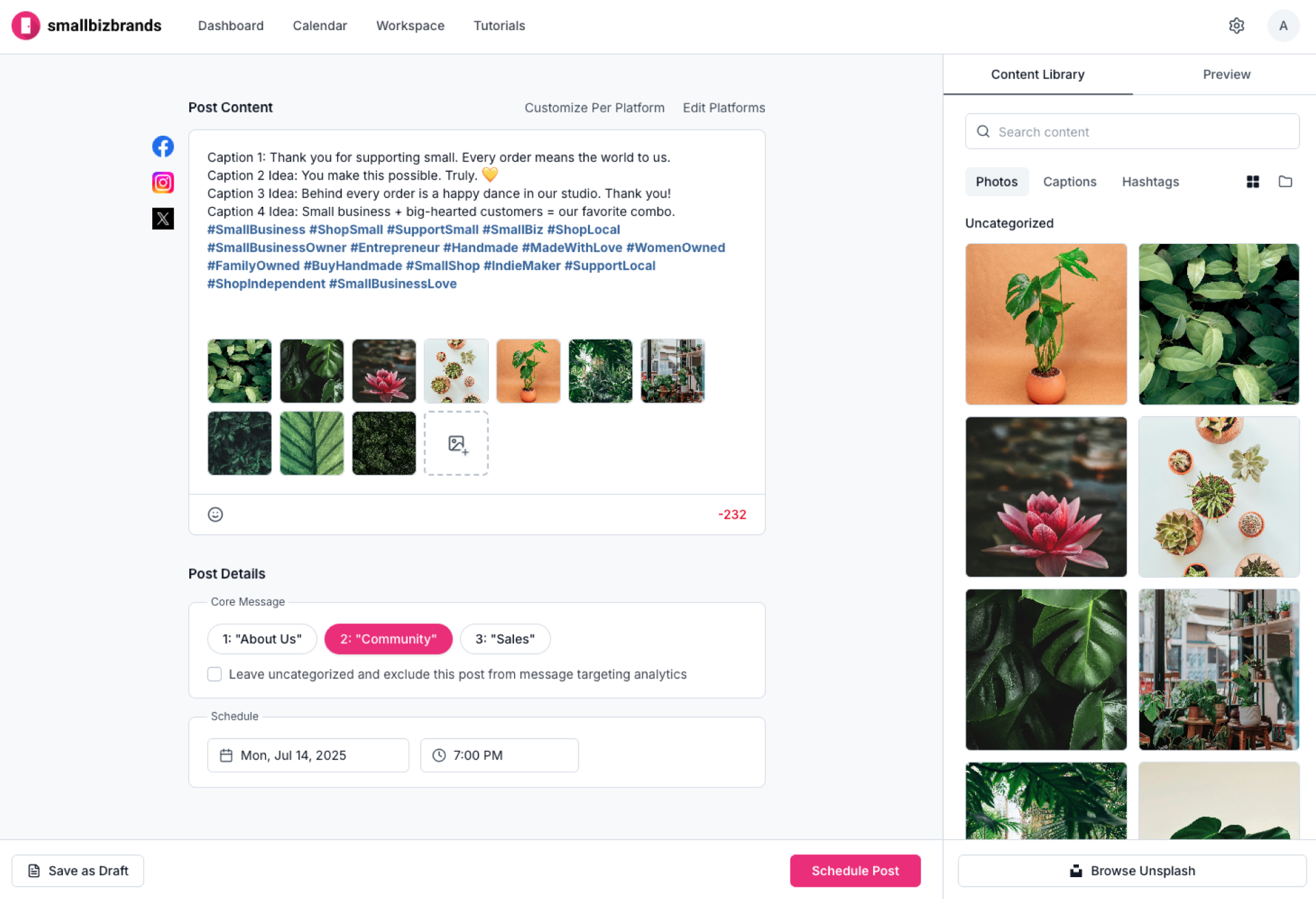
Objective
This project was to design the post creation experience for Small Biz Brands, a tool built for small business owners struggling to handle social media management on top of the demanding day-to-day of running a company. The goal: make building social media posts a quick, easy process – for users that aren't very familiar with social media.
- Role
- UX Designer
- Team
- 2 developers, 1 product manager
- Timeline
- 6 weeks
- Tools
- Figma, Userbrain, Claude Cowork, Lovable
RESULTS
On average, users created social media posts using the sidebar in 1m 20s and discovered the content library unprompted in 25 seconds.
- 0s
- Content library discovered unprompted
- 0:20
- Full post created End-to-end
- 0s
- Unsplash photo added DIRECTED
- 0s
- Caption folders found DIRECTED
- 0s
- Photo preview checked DIRECTED
Research
Understanding Our Users
Conversations with business owners allowed us to build comprehensive personas of our users. Based on those conversations, three characteristics defined this persona — and translated directly into product needs:
Busy
Our platform needed to make social media management fast.
Stressed
Our platform needed to make social media management simple.
Little social media knowledge
Our platform needed to make social media management guided.
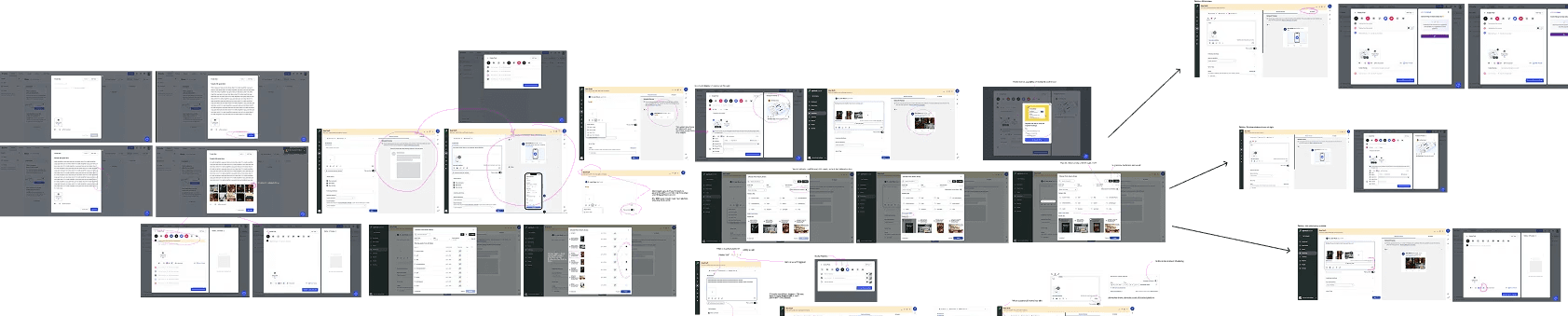
Competitor Analysis
Before jumping into design, I took some time to do a (timeboxed) competitor analysis to identify and document industry patterns. I used this — in combination with my knowledge of our users — to outline the MVP feature list for the Small Biz Brands interface.

Design Iterations
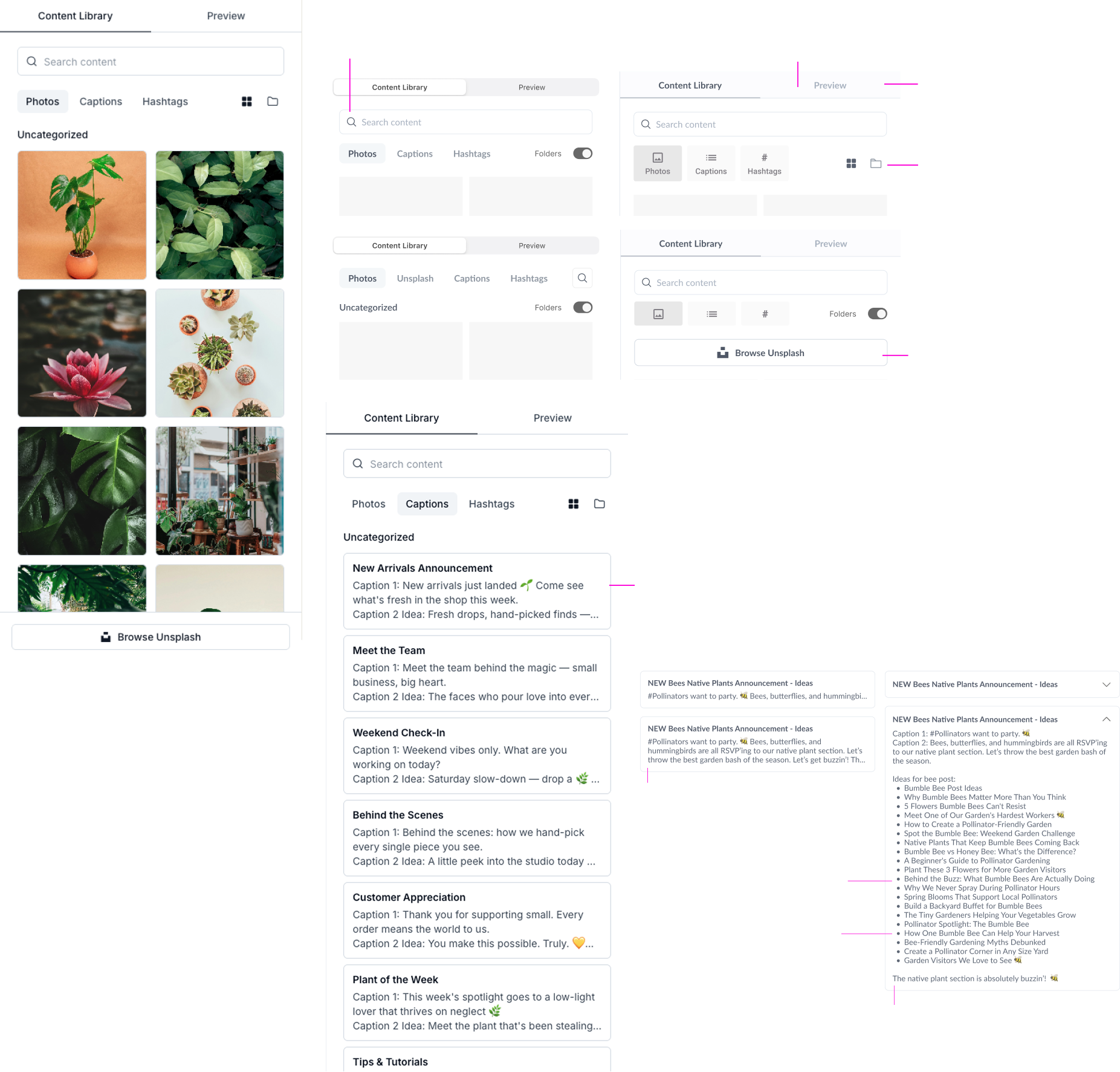
Content Library Integration
To make post creation quick and intuitive, I wanted our users to be able to quickly build a post from a library of existing content. I tested two designs: a content library in a sidebar, and a library that appeared in a modal.
Content sidebar.
Post Editor Platform Customization
Most users need to make platform-specific edits for each social post — for example, the user may want to show more hashtags on an Instagram post than on the same post for Facebook. I tested two core patterns for navigating platform-customized content: horizontal tabs and a stacked accordion.
Opt 1 · Tabs.
Design Iterations
DESIGN ITERATIONS – SIDEBAR
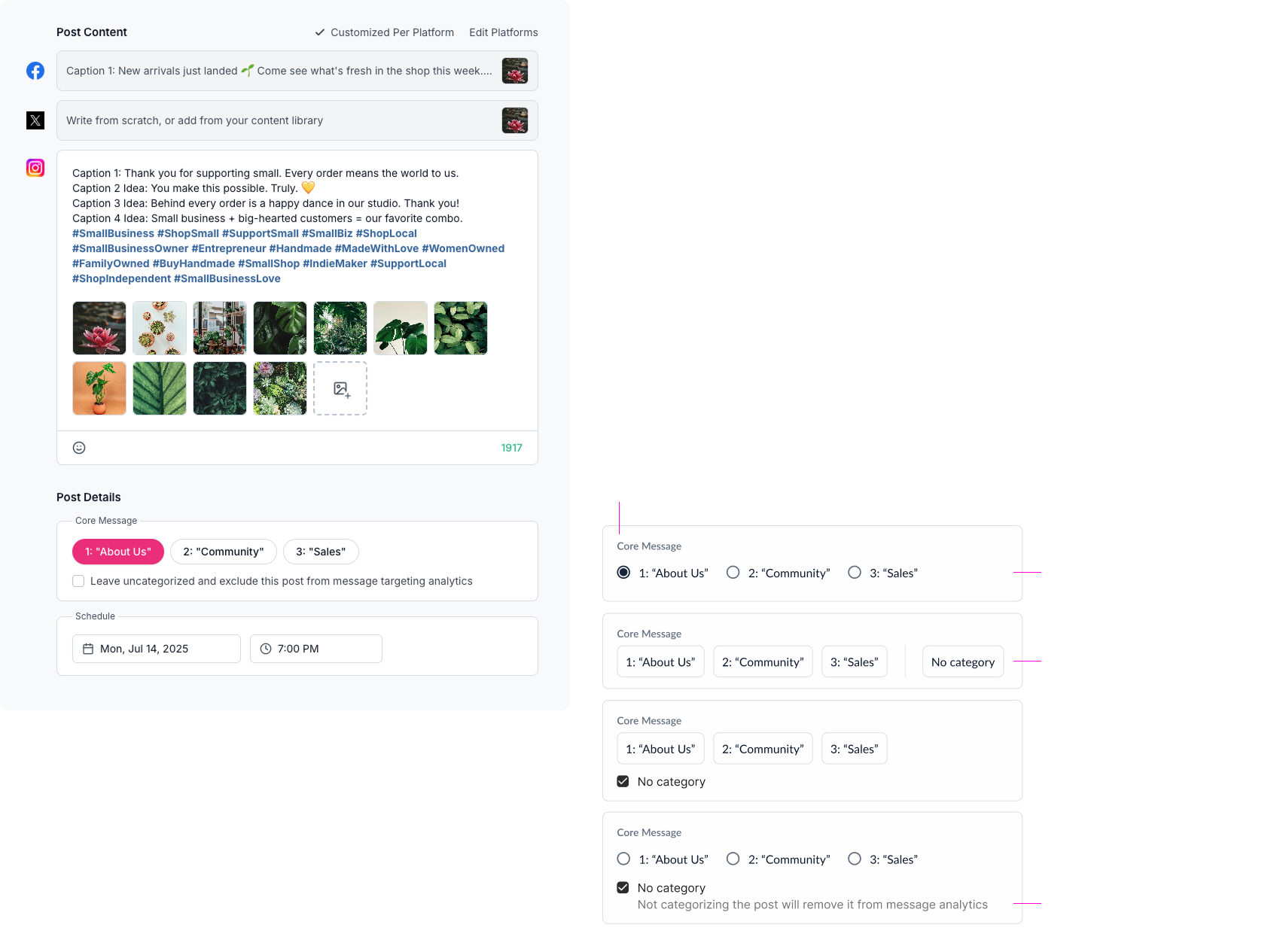
Design Iterations – Core Message Selection
Final Designs
User flow · Building a post
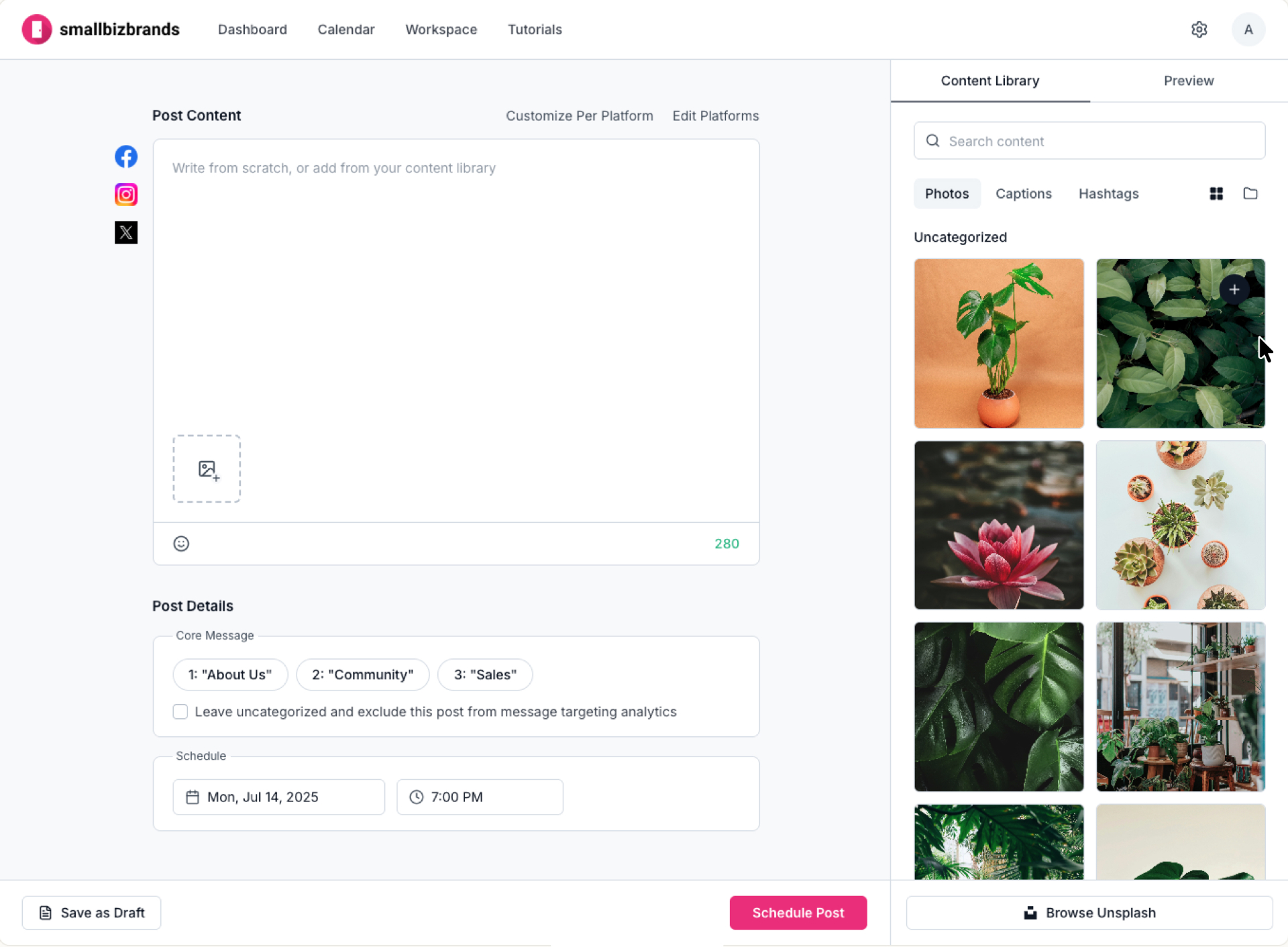
01User selects photo from content library sidebar.
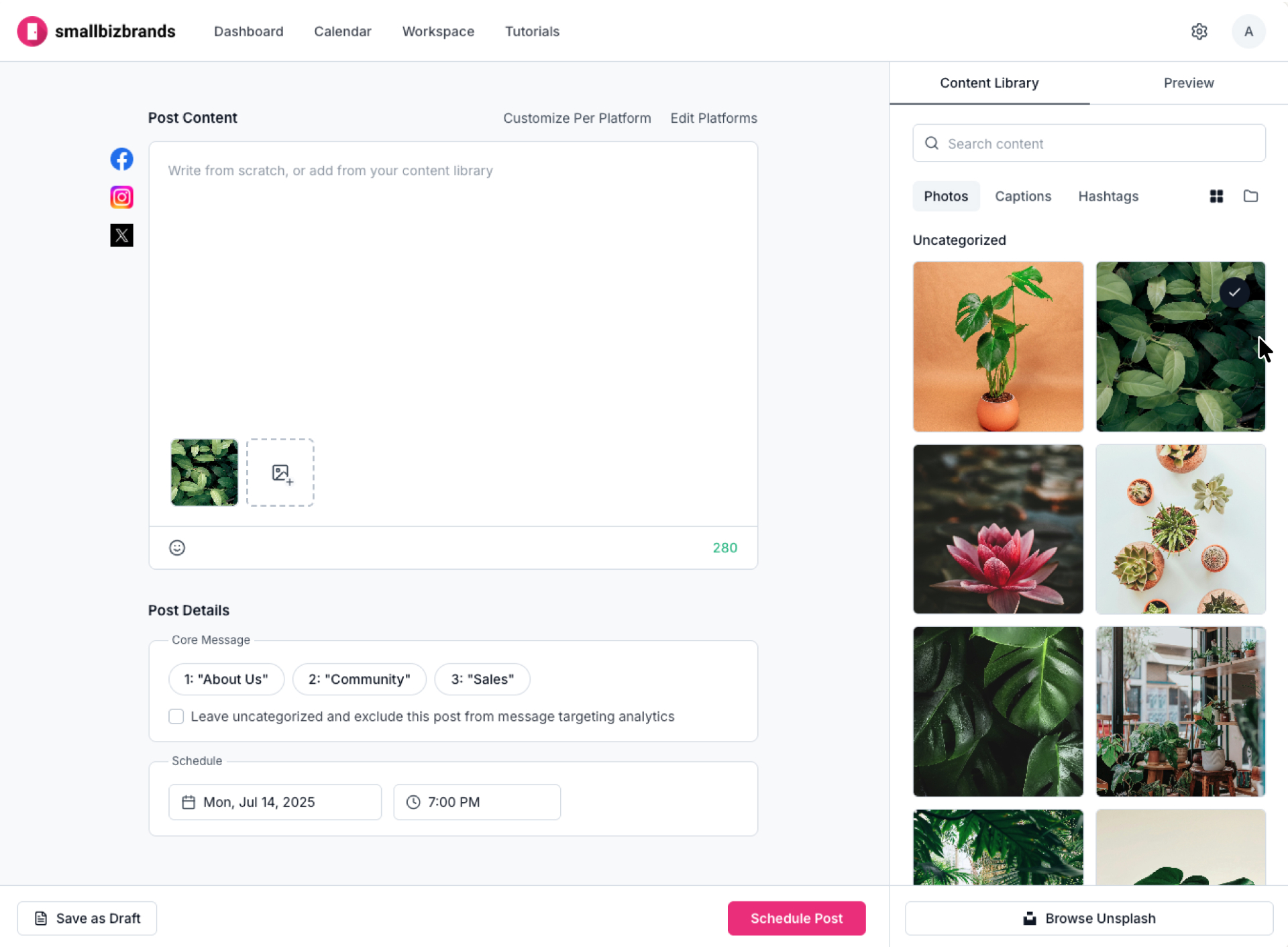
02Photo is added on click, with a 1500ms checkmark confirmation.
User Testing Design Update
This confirmation checkmark was added after testing showed users re-clicking images repeatedly without realizing they'd been added to the post editor to the left.
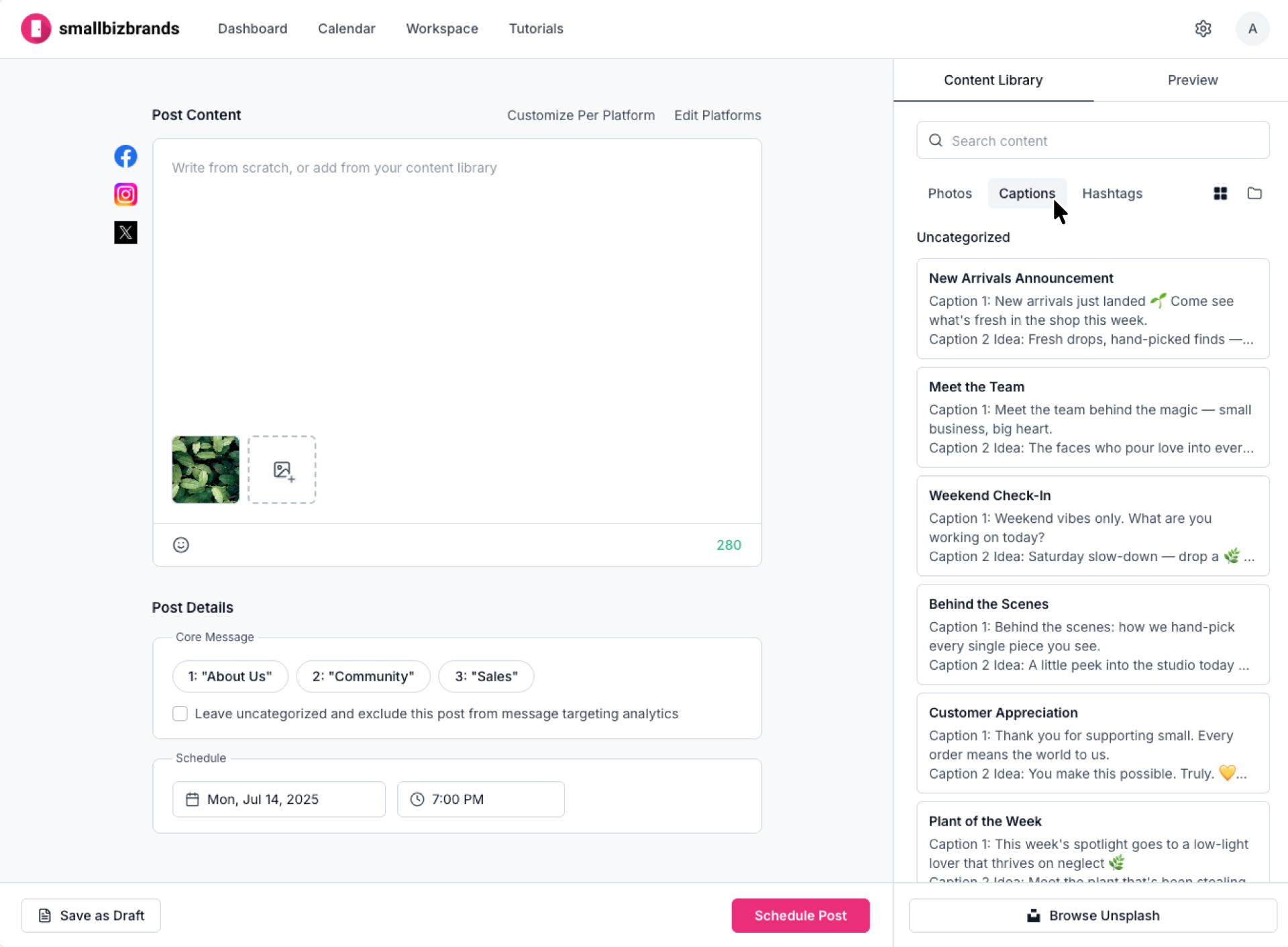
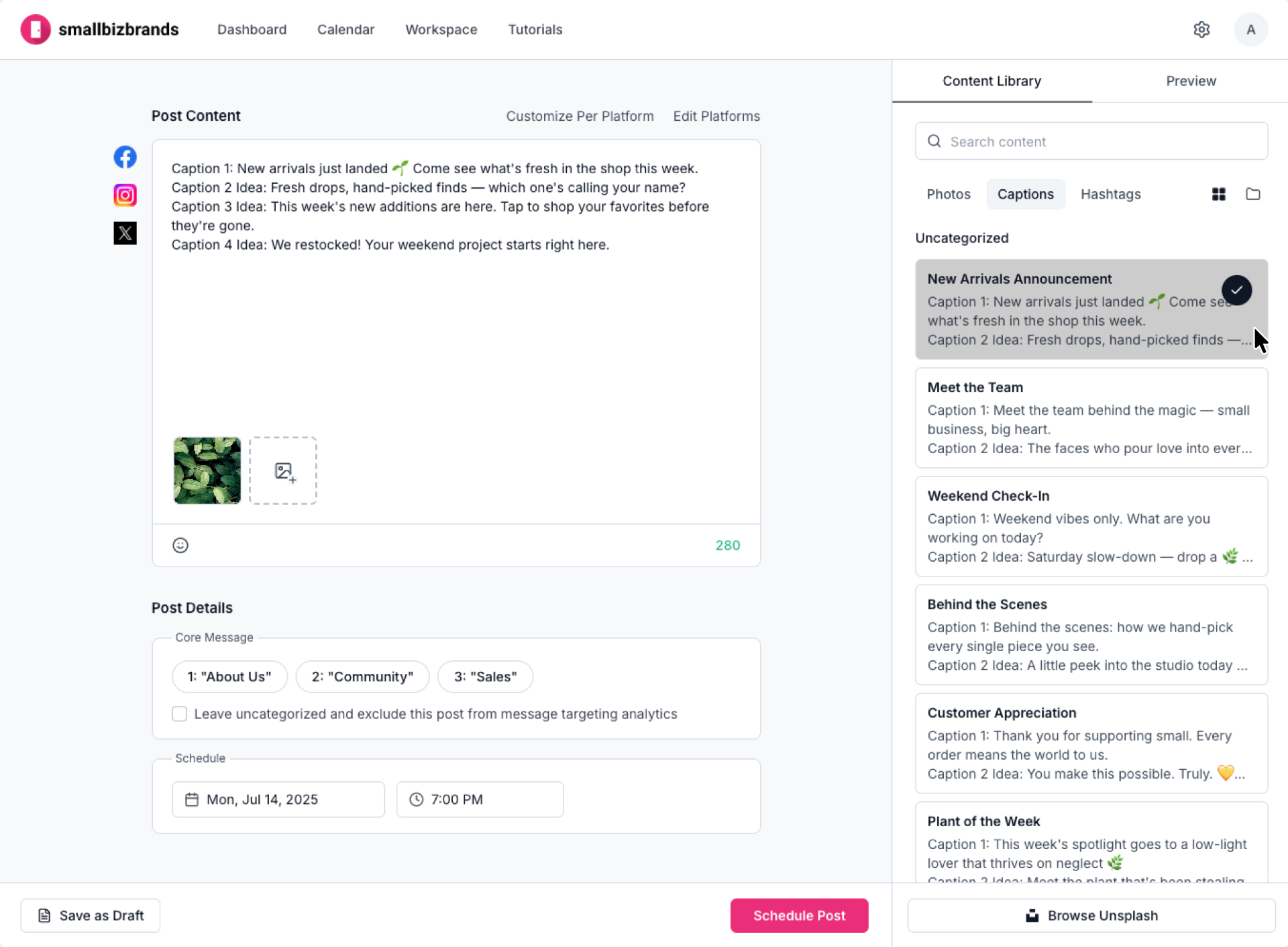
03User toggles to "Captions" to browse their saved content.
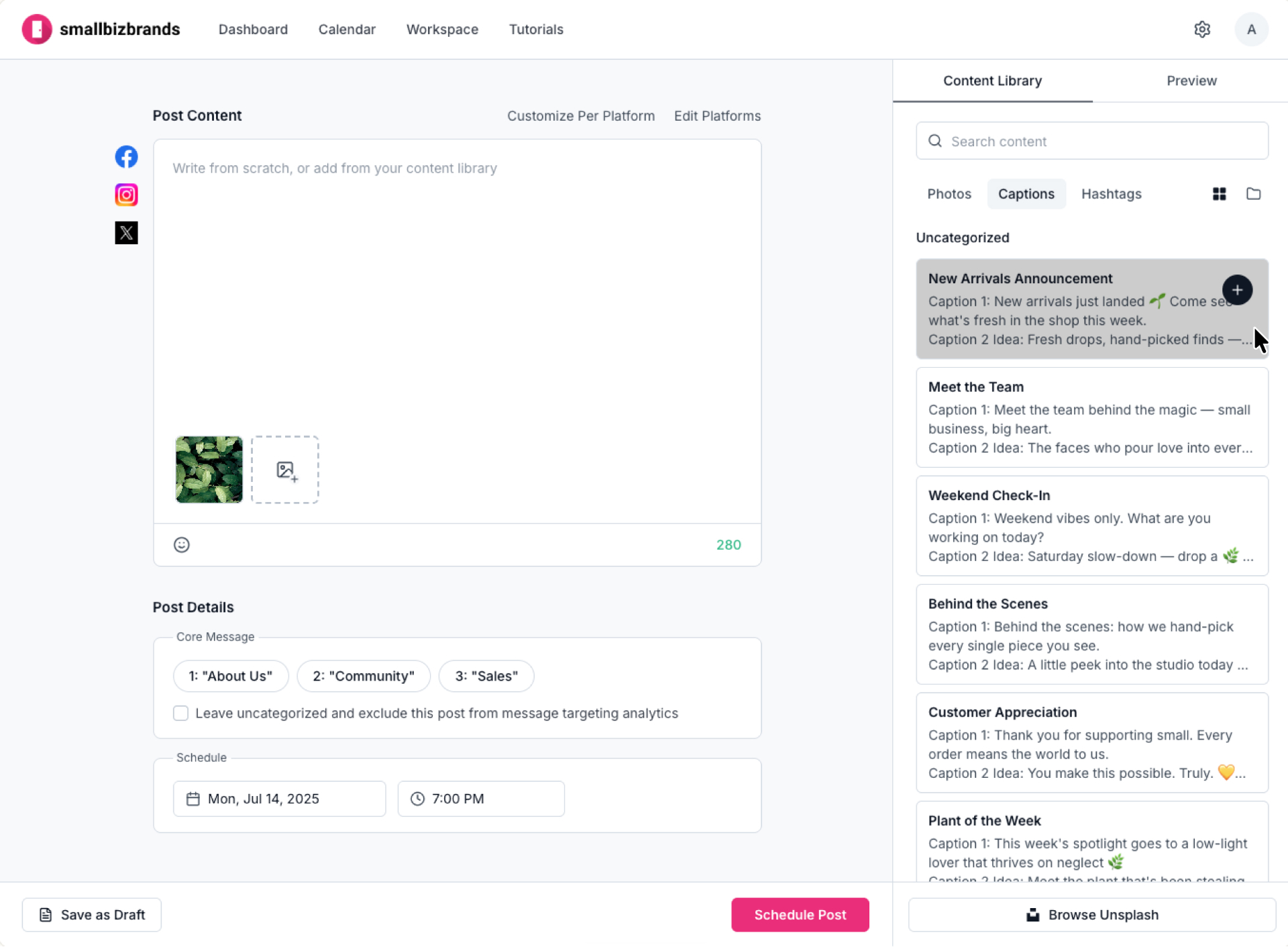
04User selects desired caption to add from library.
05Full saved caption added to post editor on click, with checkmark confirmation.
06User toggles to "Hashtags."
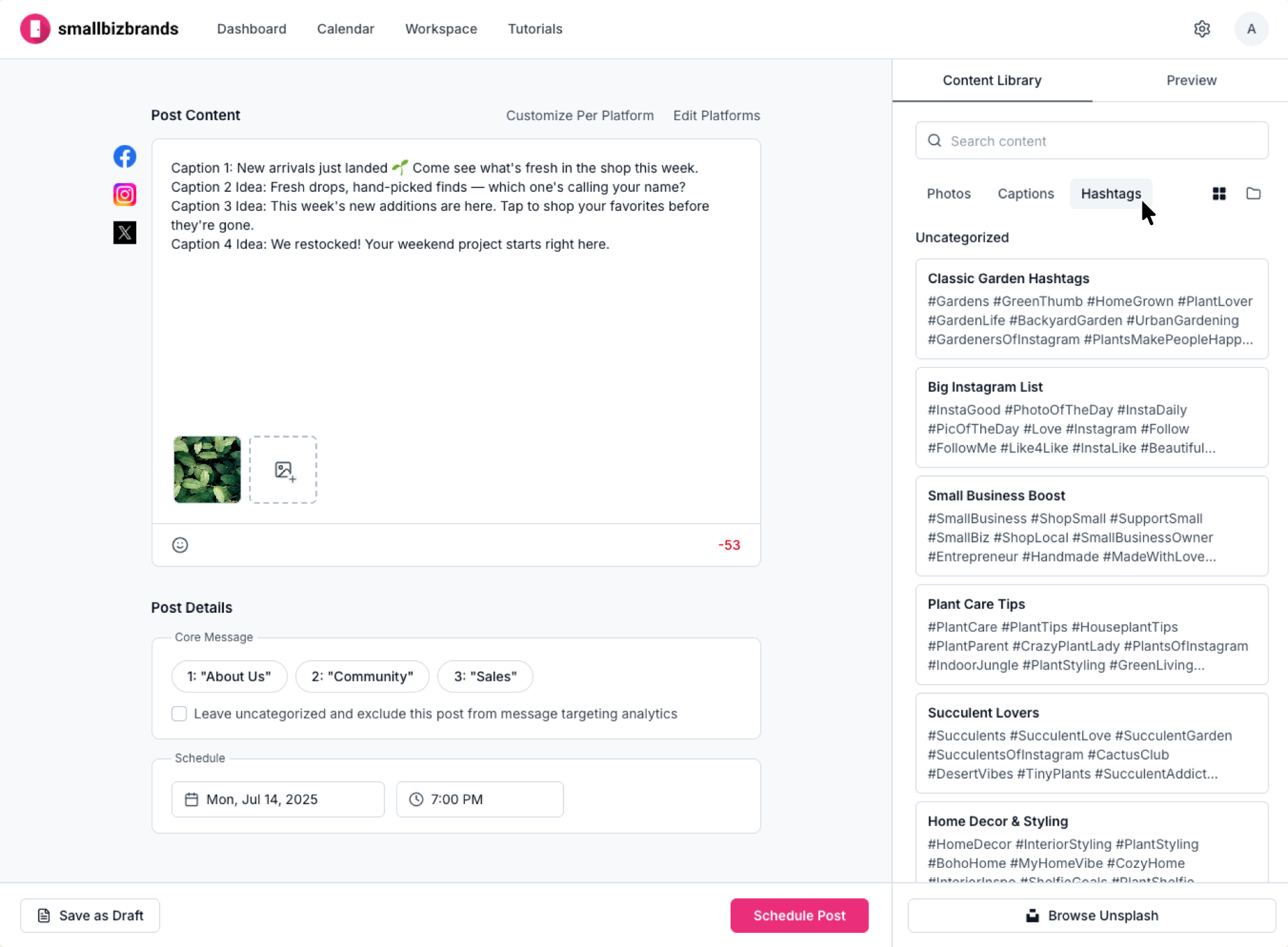
07User selects desired hashtag collection from library.
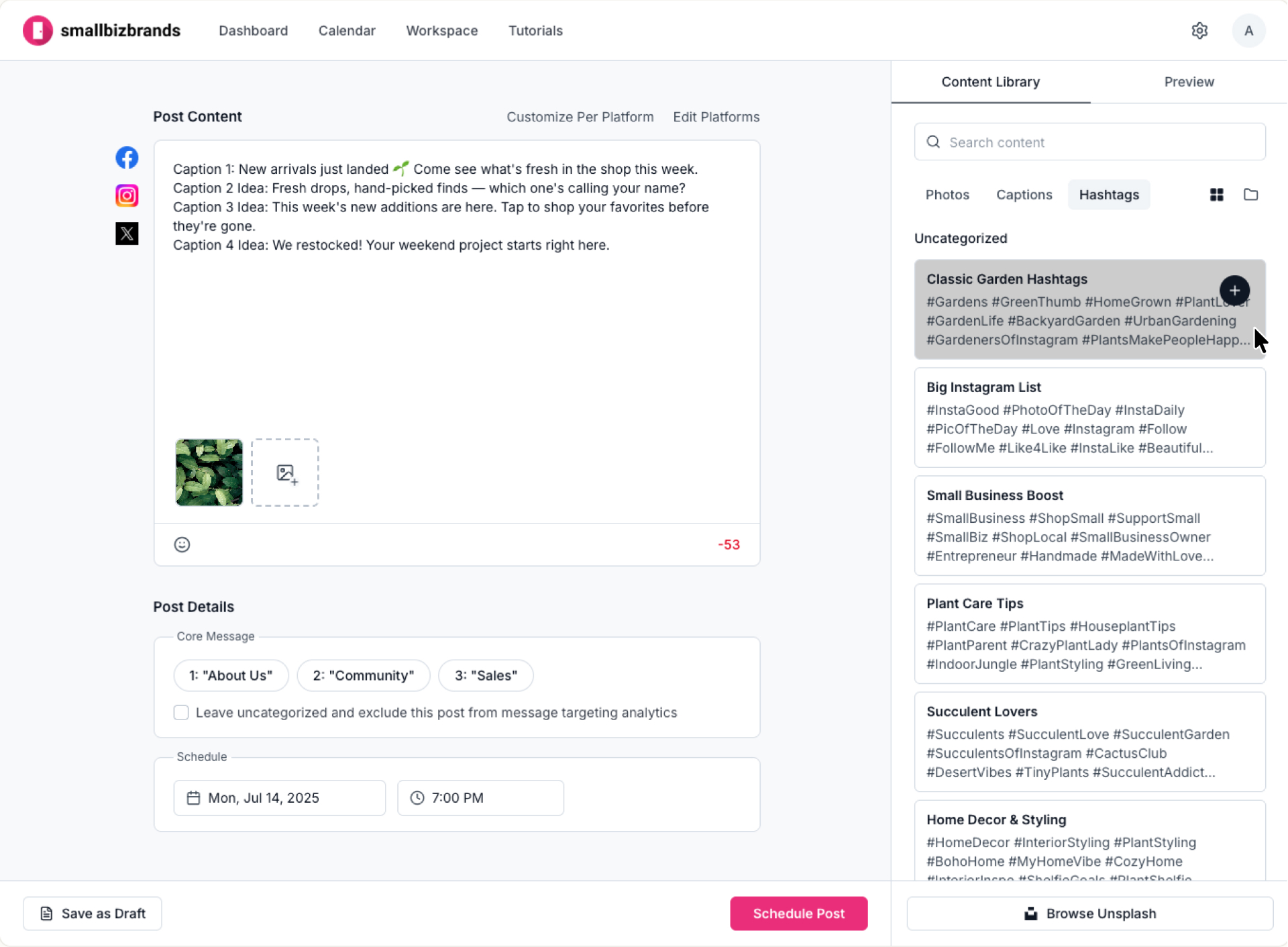
08Hashtag collection added on click with checkmark confirmation.
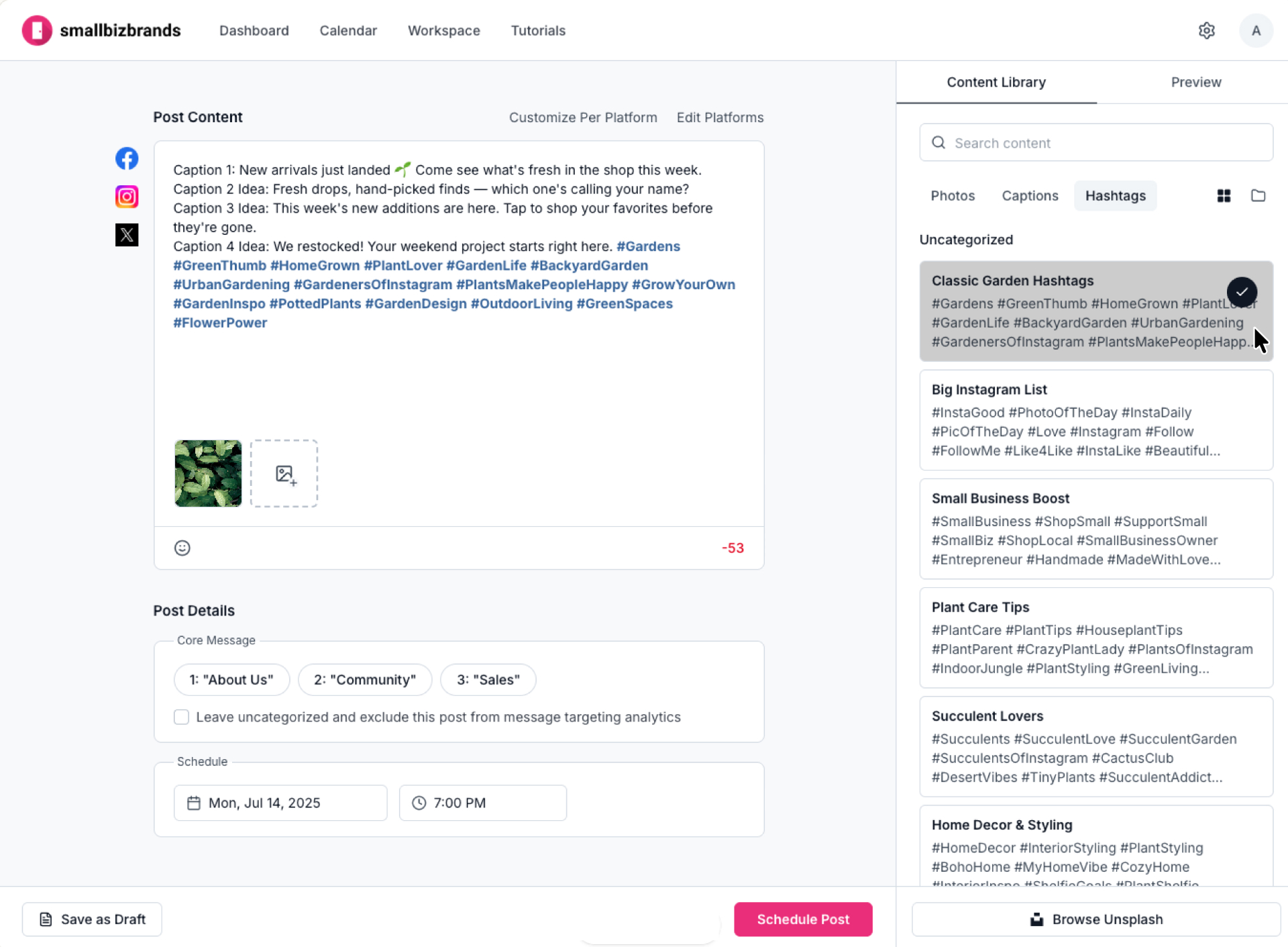
09User edits content inside post editor.
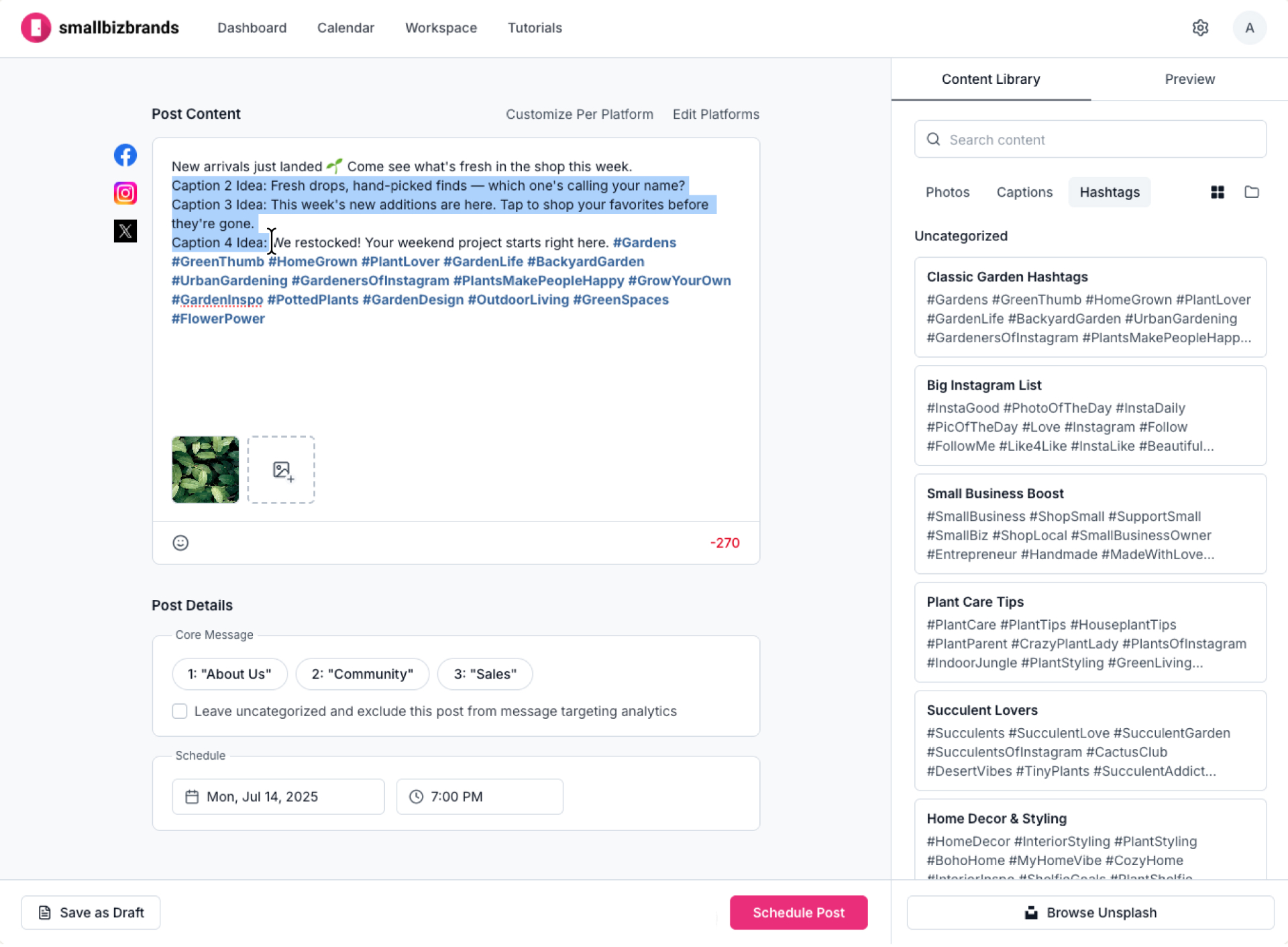
10User selects core message from saved options.
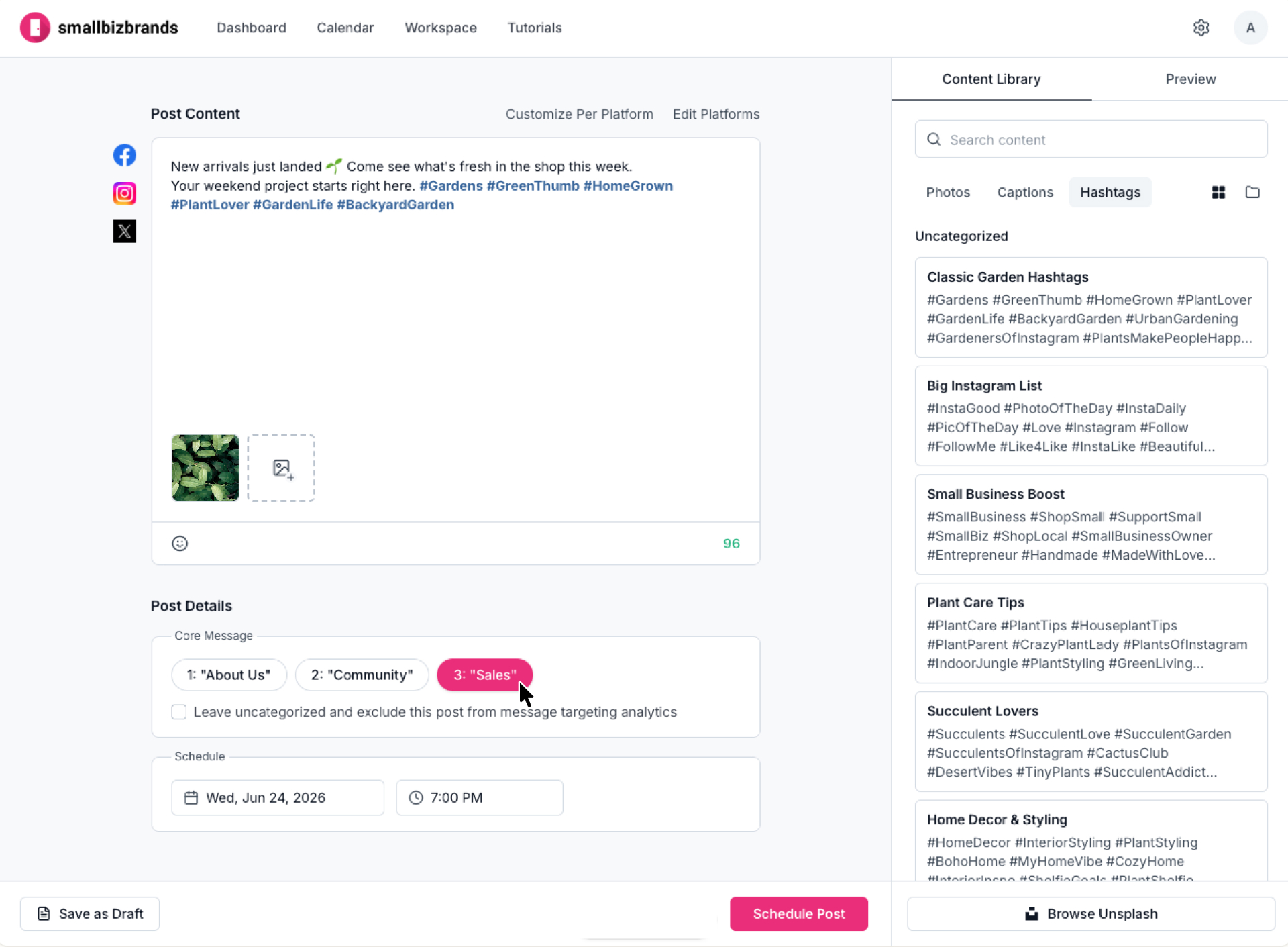
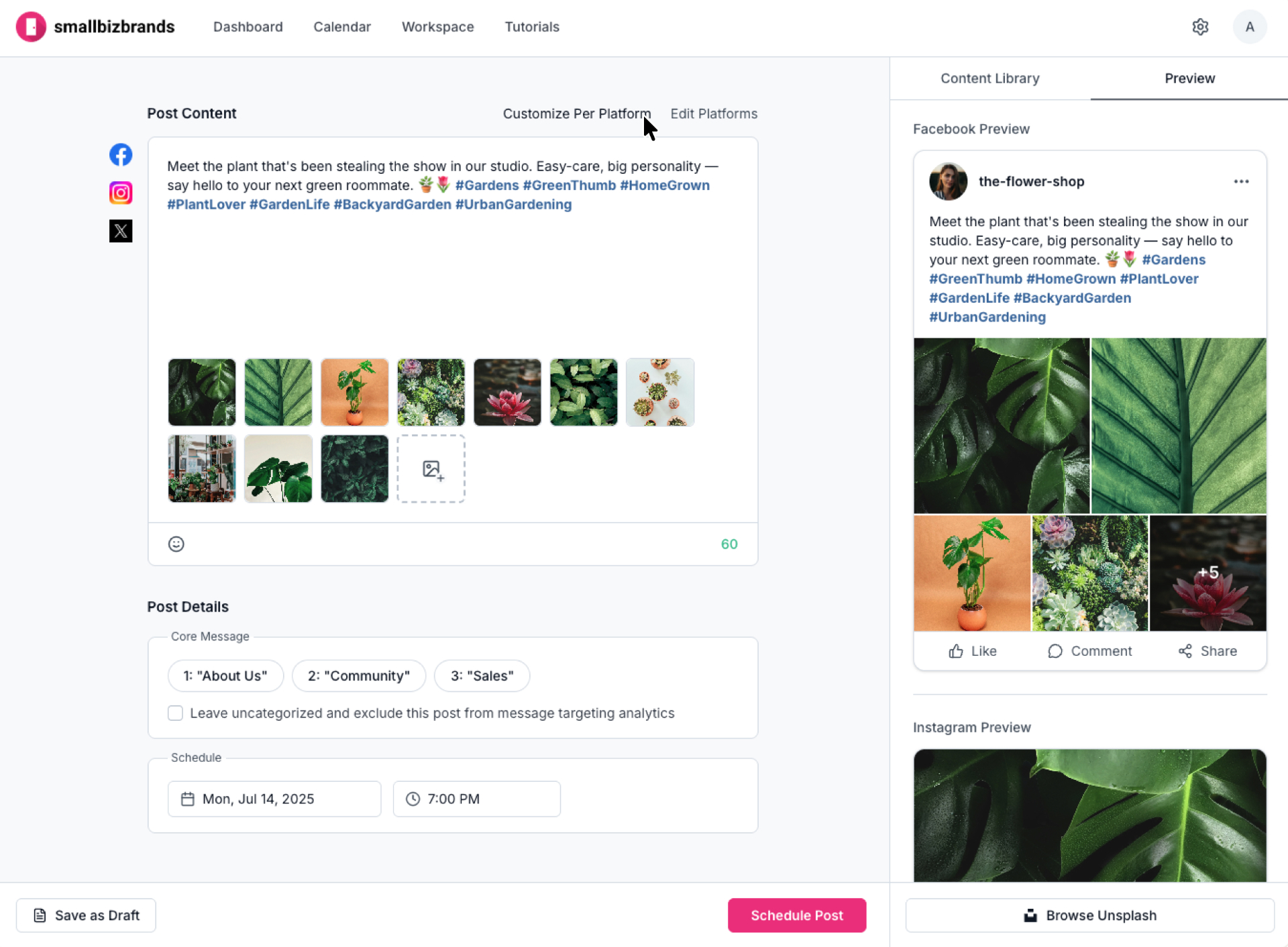
User flow · Modifying a post for specific platforms
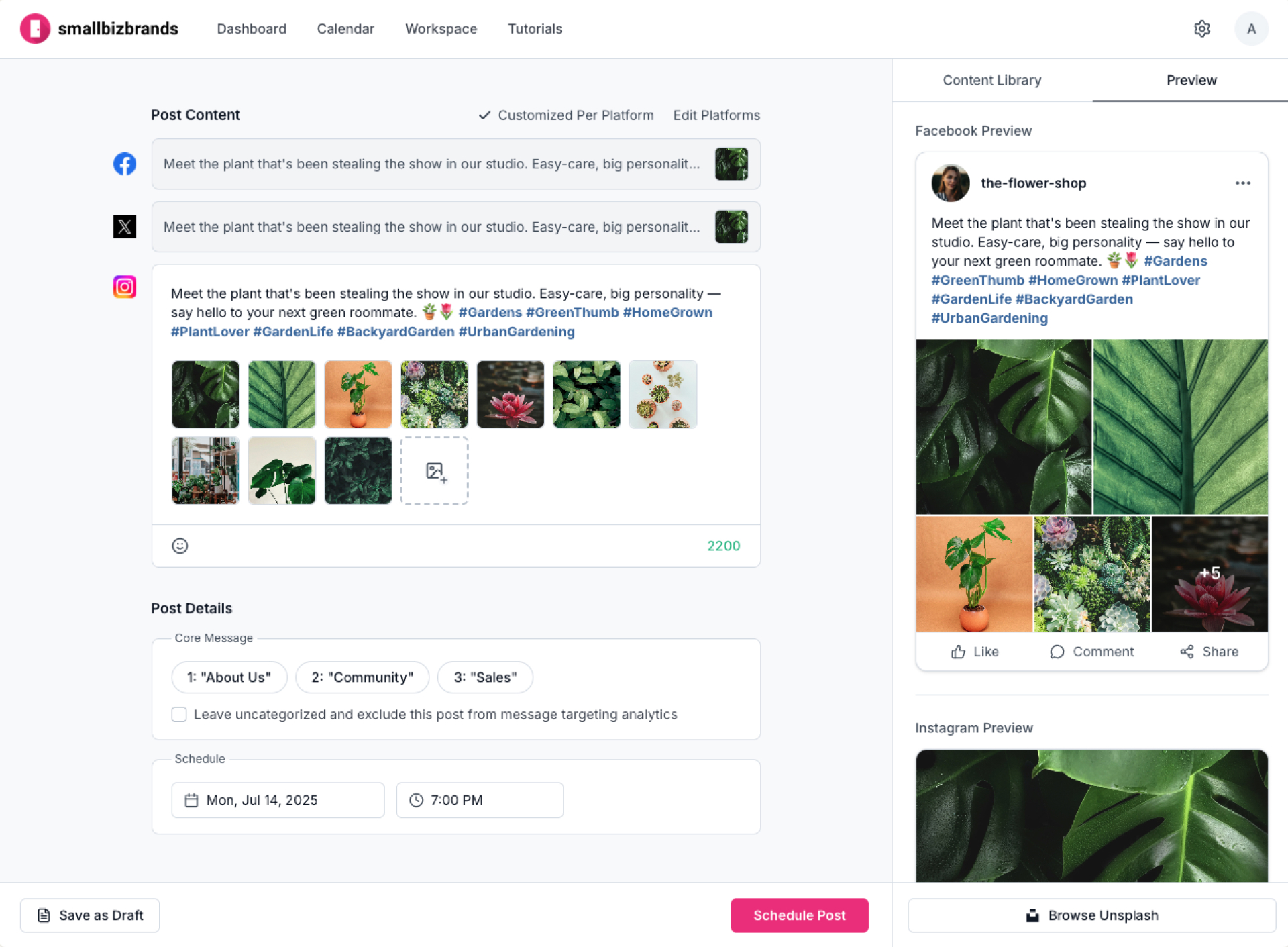
01User selects "Customize Per Platform" to tailor the post for each channel
02Each platform appears as its own editable draft, pre-filled with the original post
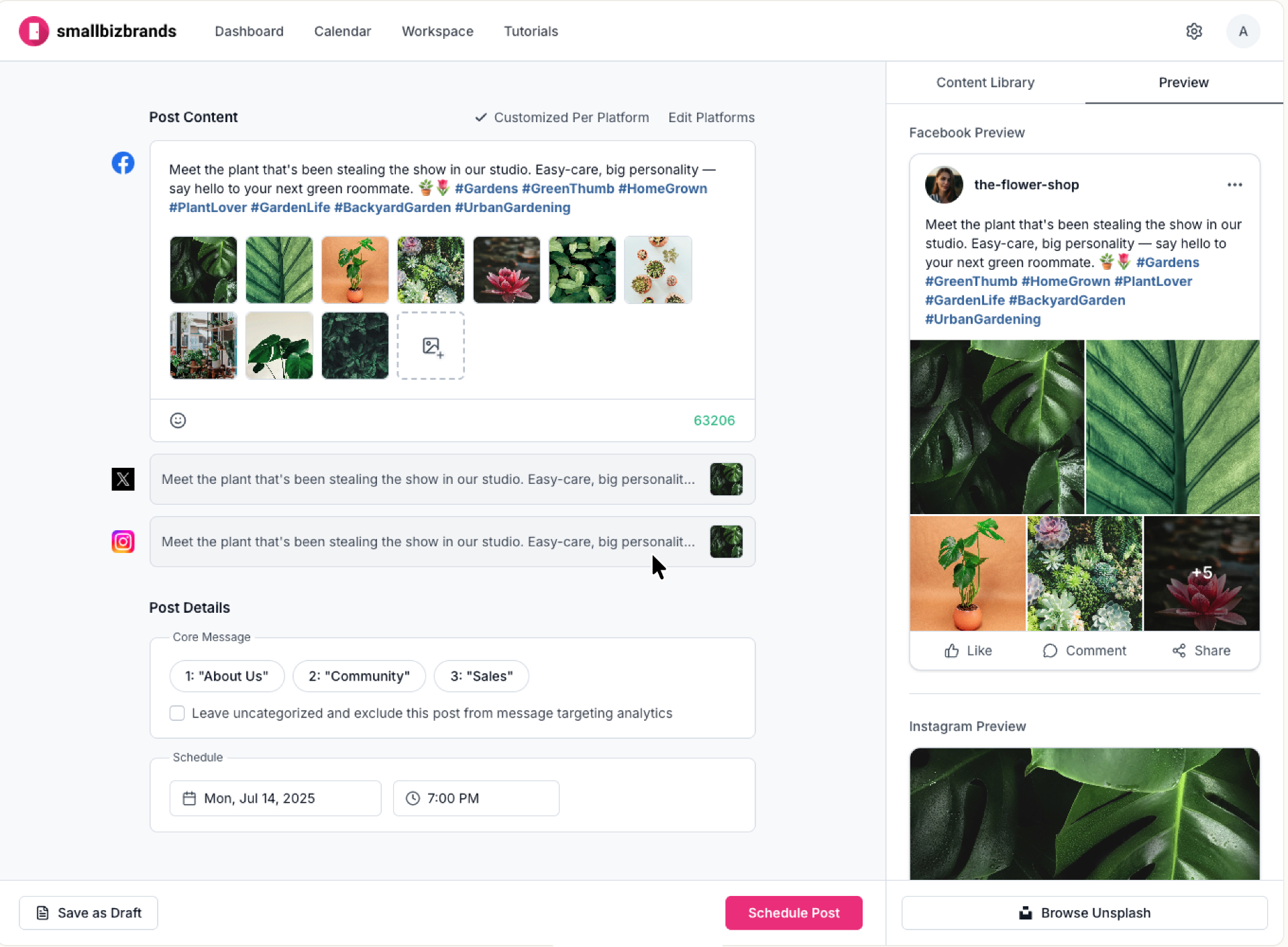
03User expands and modifies each platform's post independently
Reflection
To support post scheduling, we needed Facebook API access. Partway through development, the dev team told me they'd been unable to get approval after weeks of attempts. I stepped in to review the API requirements, talked through the core calls with the team, and submitted the application in Facebook for Developers — Facebook approved it shortly after.
Next
Browse all projects